

Step 1: Connect the Drive Power Supply
Description
The first step in installing the 980MDi 4th axis is connecting the drive power supply. Ensure the power source meets the voltage and current requirements of the A-axis drive to guarantee stable operation.
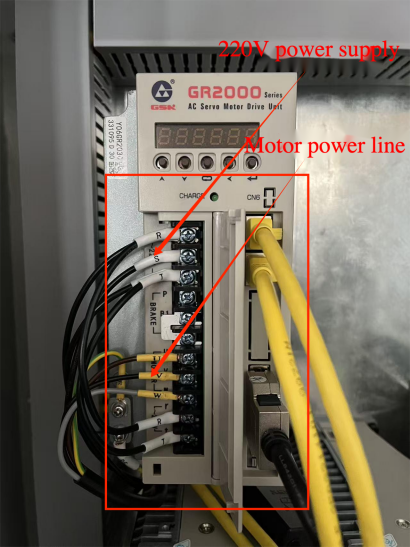
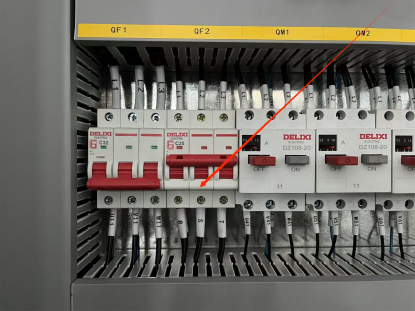
Step 2: Connect the Motor Power Cable and Encoder Cable
Description
Connect the motor power cable and the motor encoder cable to the A-axis drive. The encoder connection is critical for accurate position feedback and precise rotary table control.
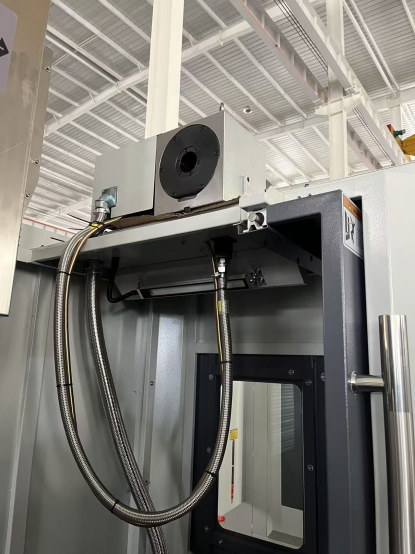
Step 3: Connect the A-Axis Drive to the System (Daisy Chain)
Description
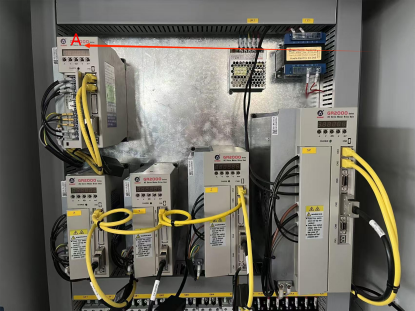
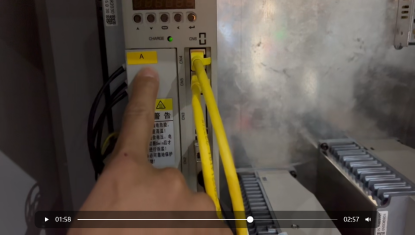
As shown in the installation diagram, connect the A-axis drive to the CNC system using the yellow Ethernet cable. The A-axis drive must be inserted between the CNC system and the X-axis drive in a daisy chain configuration.
This connection ensures correct system bus communication and axis synchronization.
Step 4: Enter System Setup and Select Rotary Table Control Mode
Description
Access the system setup interface by entering the machine tool password. Press the System Debug button, then enter Rotary Table Settings. Select Manual M-code Control to enable manual control of the 4th axis rotary table.
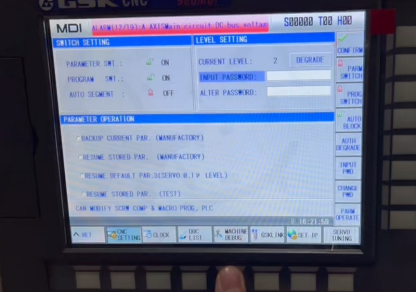
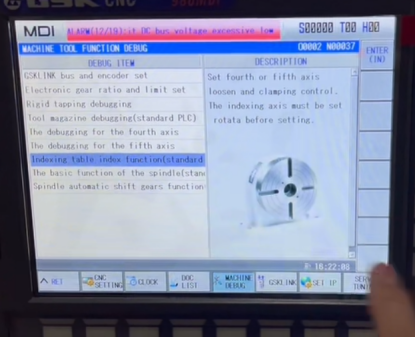
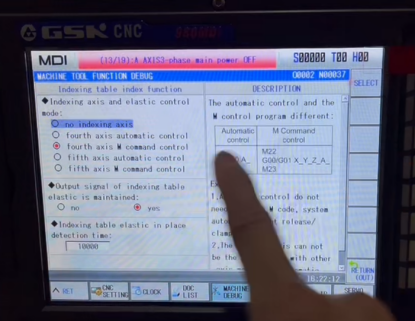
Step 5: Enable the A-Axis Function (Parameter Setting)
Description
In the System Setup interface, locate Parameter 187.1 and set the value of the A-axis to 1. This step activates the A-axis function within the 980MDi CNC control system.
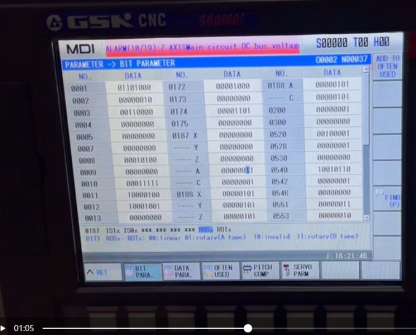
Step 6: System Diagnosis and Transmission Ratio Configuration
Description
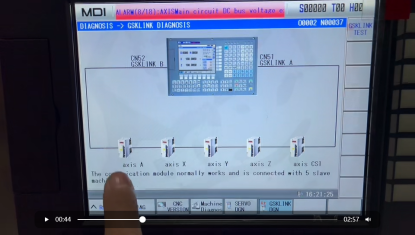
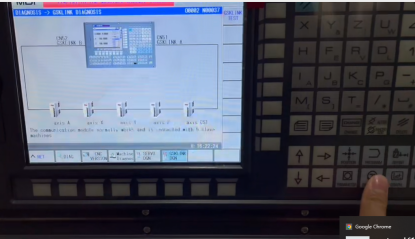
After powering on the machine, enter the System Diagnosis interface. Verify that the system bus connection is normal. Then set the transmission ratio according to the A-axis gear ratio to ensure correct rotary motion and positioning accuracy.
ALPHA CNC 4th Axis Installation Support
At ALPHA, we provide professional CNC integration solutions, including 4th axis rotary table installation, parameter configuration, and system commissioning. Correct installation ensures stable communication, precise motion control, and long-term machining reliability.